Now the parts of C12 that members actually work in
Volume 1 covered presence — getting C12 in front of members. This volume goes the other way: the monthly report, the curriculum, the commitments, the room itself. These are the jobs C12 already does, done better because the phone is doing more of the work.
The CORE figures, captured instead of typed
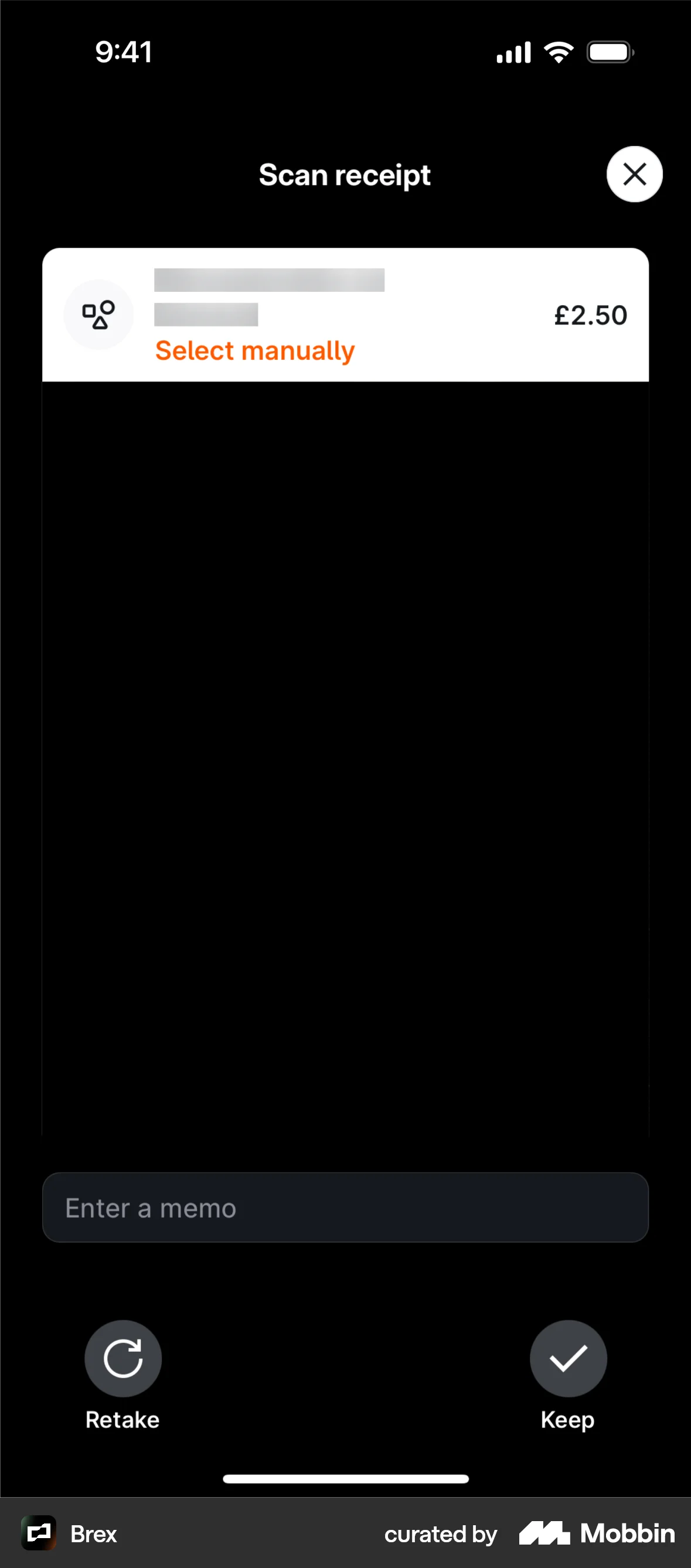
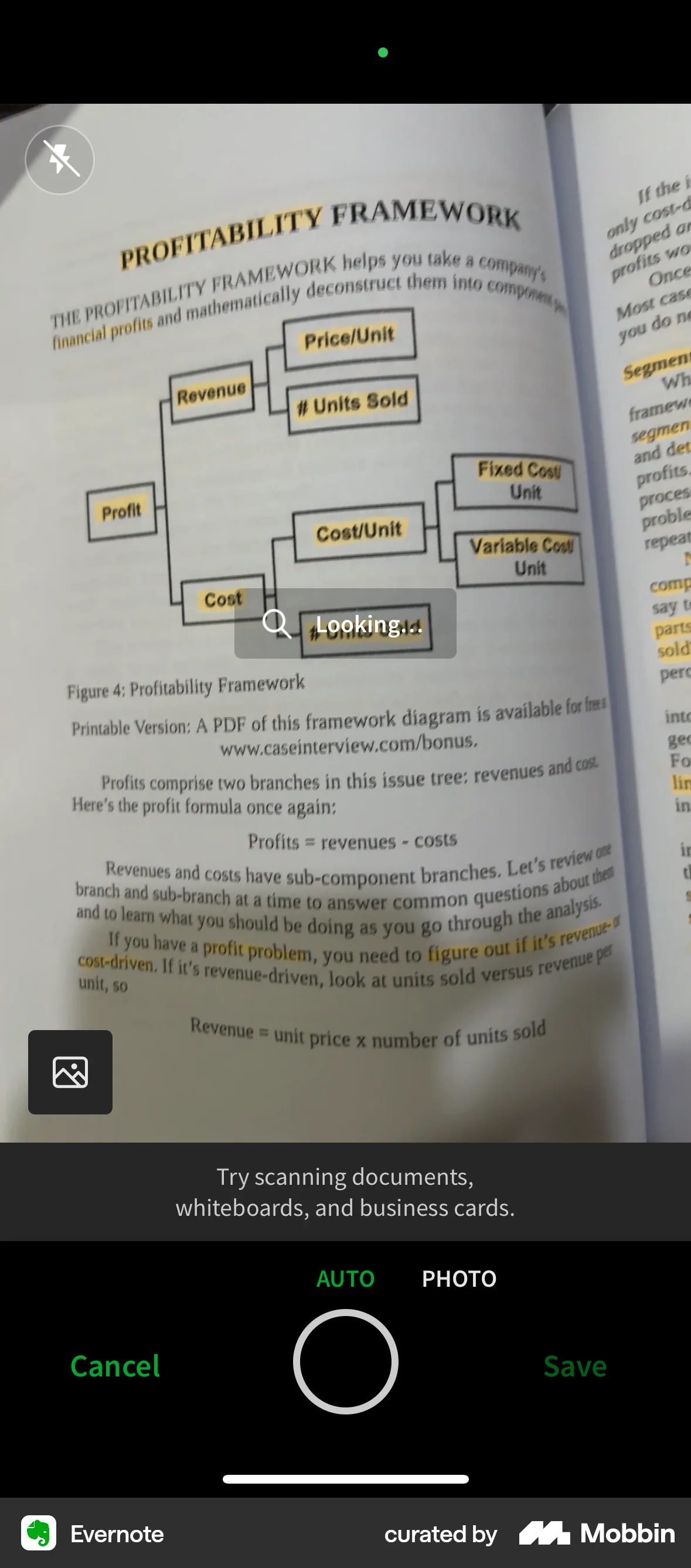
Once a year every member writes a CORE Business Presentation. Section ten, Financial Management, wants five Economic Value Add figures and an attachment of the statements they came from. Today that is a CEO reading numbers off paper and retyping them. Every part of it is a solved problem on iOS.
September report · 6 of 6 fields
Why the references work
- The camera finds the field, the human confirms it. Brex never auto-saves an extracted amount. One glance, one tap.
- Guidance lives in the viewfinder. Evernote tells you what it can read while you are still holding the page.
- Provenance is shown per value. You can always see which numbers the machine read and which you typed.
The C12 translation
- Five named fields, not open-ended OCR.
CBPComponents::FinancialManagementdefines them exactly — return on capital employed, sales growth rate, EBITDA, expanded market capacity, owner’s equity ratio. A fixed target is what makes on-device recognition reliable. - A
Scanned/Youchip on every field. A Chair reviewing a franchise roll-up needs to know which figures were read by a camera. - The attachment slot already exists.
has_many_attached :company_financials— the scanned statements file alongside the figures with no new model. - Handoff to the desktop. Start on the phone at the office, finish on the Mac where the spreadsheet actually lives. The web app is already there — this just connects them.
- Never auto-save. The component is
encrypts-ed for a reason. The machine prepares; the member signs.
The curriculum, into the car
C12 already offers “read it to me” on the monthly curriculum, so the reading itself is solved. What a browser cannot do is follow a member into the car — which is where the only reliable reading time actually is.
Why the references work
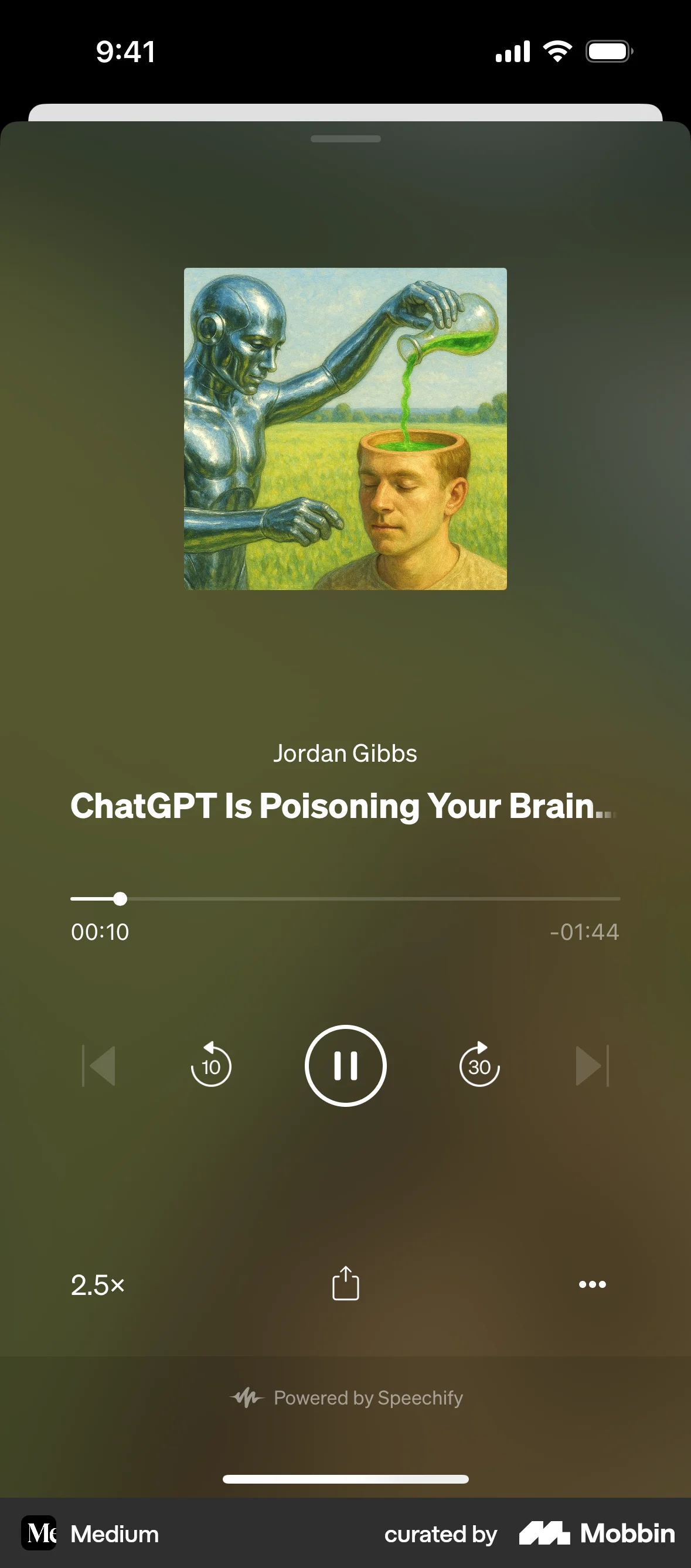
- Audio is an alternative route, not a new library. Medium keeps the article as the object; listening is one of two ways to consume it — which is exactly how C12 already treats read-it-to-me.
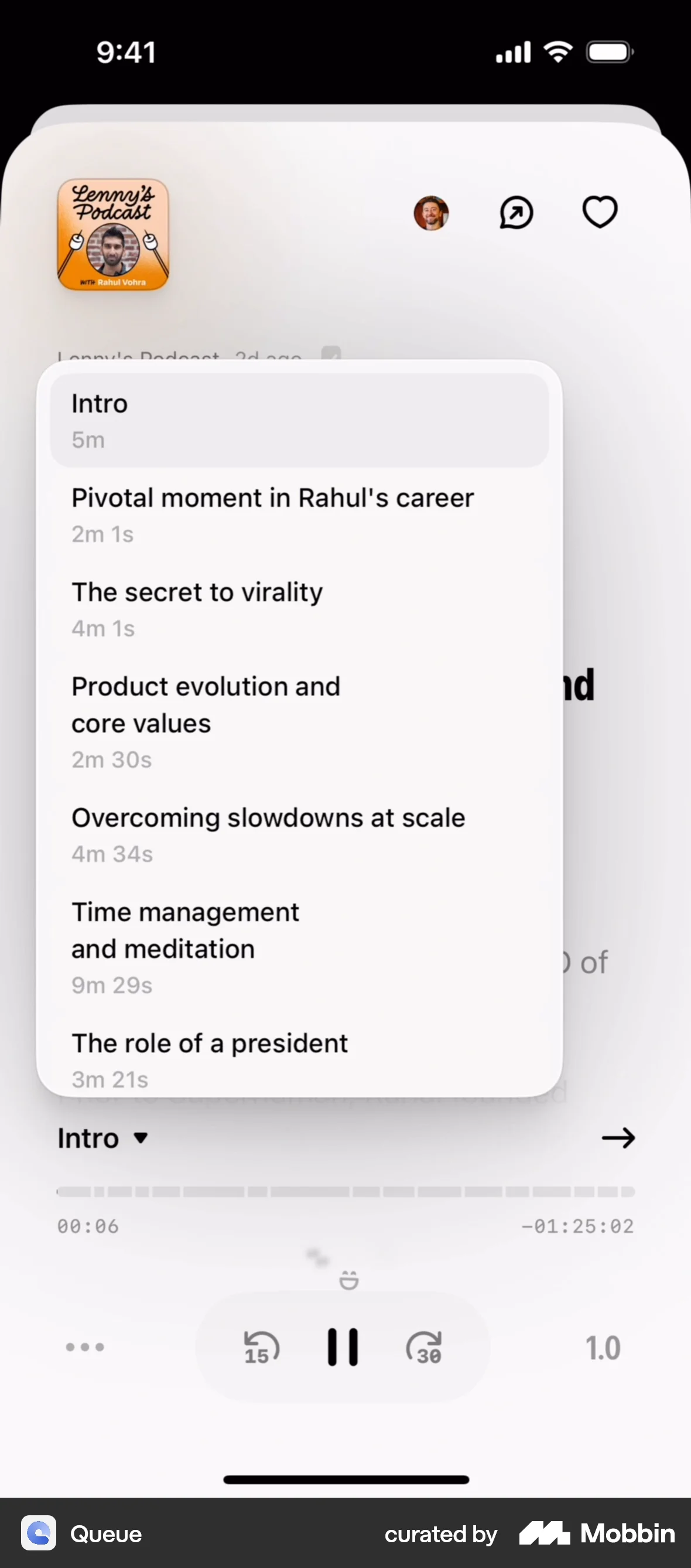
- Speed control is treated as a primary control. Queue and Medium both surface it next to play, because power listeners always change it.
- Chapters make long content navigable. A jump list turns a 25-minute piece into six things you can dip into.
The C12 translation
- Not a play button — that exists. The gap is a media session: lock-screen transport, plays with the screen off, and a resume point that survives leaving the app.
- Sections map to the forum agenda. Listening to section 2 on the drive means a member walks in ready for the session that discusses it.
- Download before you drive. Background Assets pre-fetches the month's audio over Wi-Fi so there is no buffering on a rural highway.
- CarPlay and AirPlay. The same asset on the dashboard on the way in, and on the venue display once the Chair arrives.
- One progress number, everywhere. “36% through March” should be the same figure read aloud in the browser, played in the car, and shown to the Chair.
Forum day, handled before you open anything
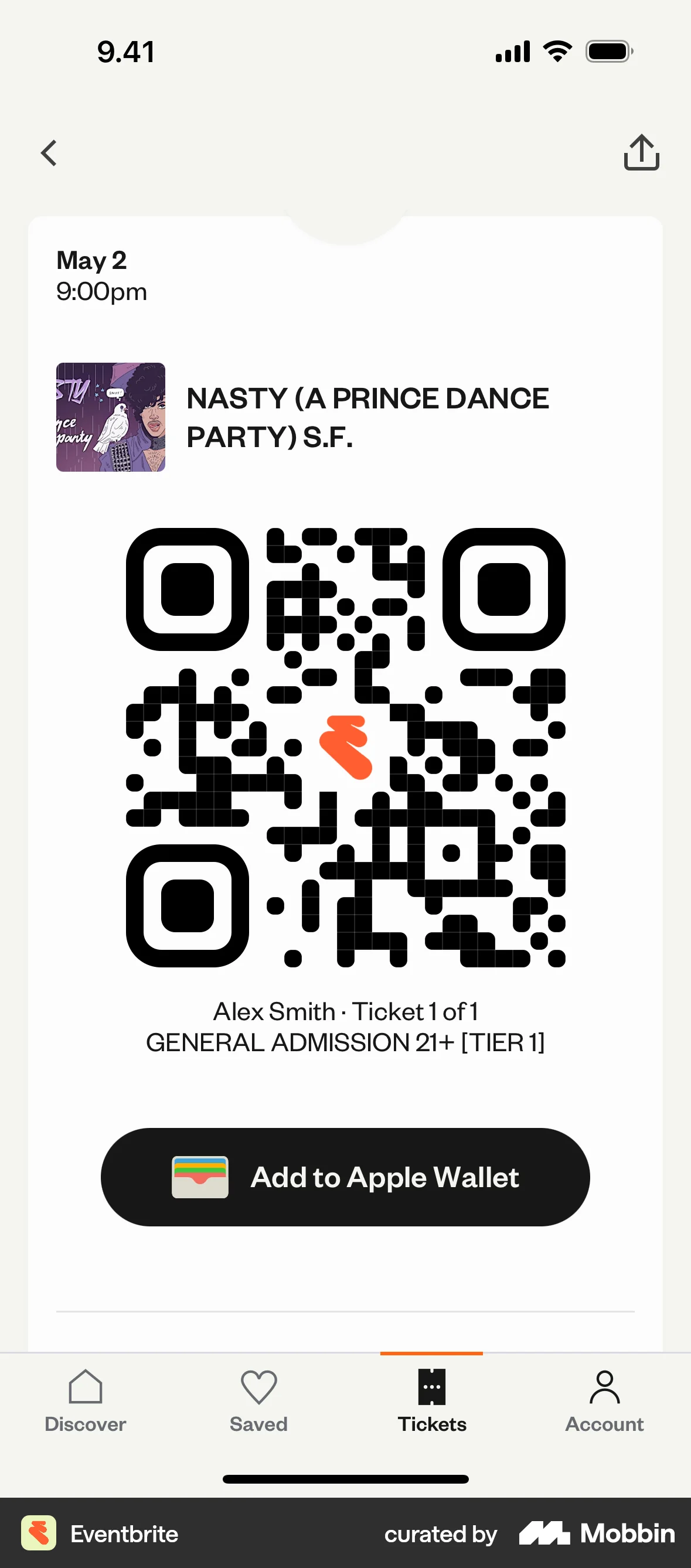
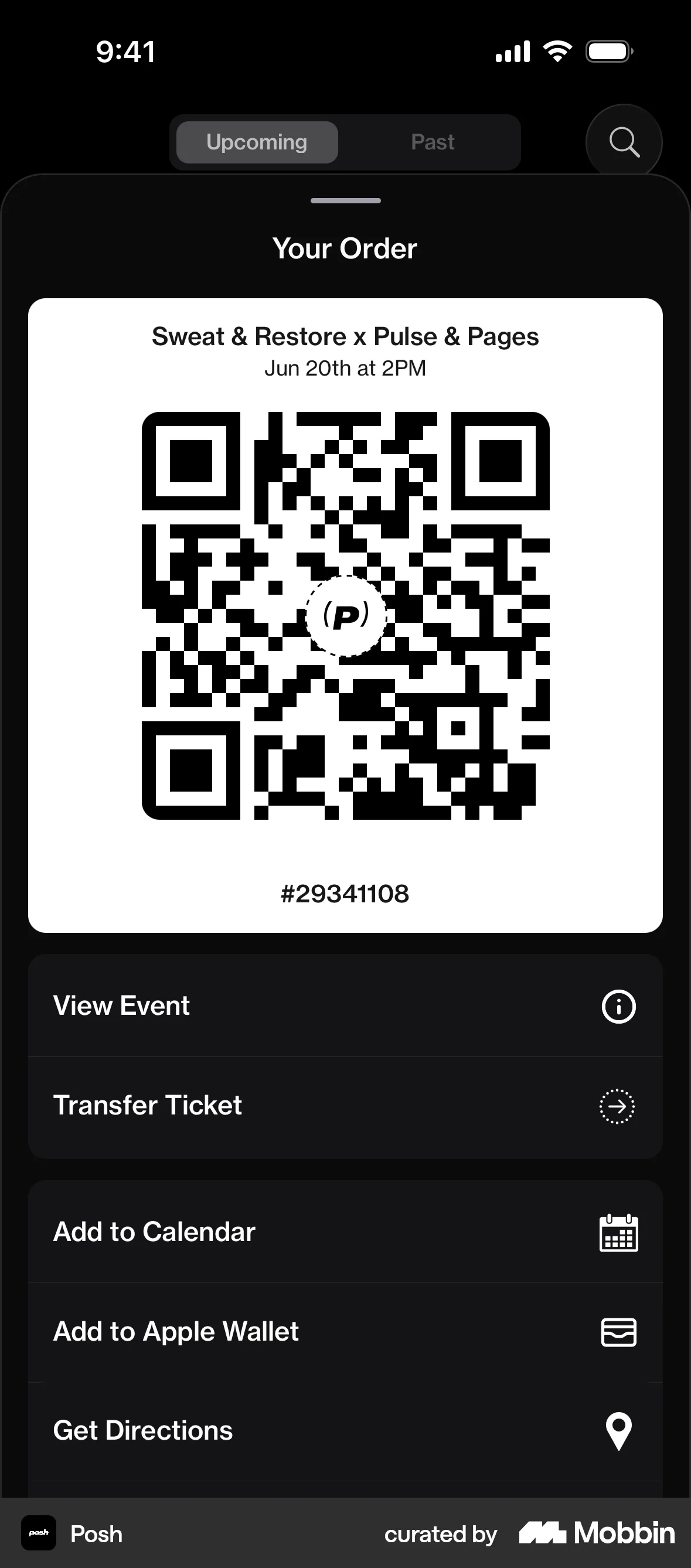
A Wallet pass surfaces itself on the Lock Screen at the right time and the right place, with no app, no notification budget and no push permission. For a monthly recurring event at a known venue, it is the single lowest-effort surface iOS offers.
Why the references work
- A pass is self-surfacing. Wallet decides when to show it based on time and location — you spend no notification budget to be useful.
- The three top facts get equal billing. Date, time, venue as a three-column row is the Wallet convention, and it is readable at arm's length.
- Attendance actions cluster. Eventbrite and Posh both keep Wallet, Calendar and Directions adjacent.
The C12 translation
- The pass is a membership card, not a ticket. It updates each month to the next meeting rather than being reissued — one pass per member, for years.
- “Arrive 7:45” beats “starts 8:00”. Tell members when to be there, not when it begins. Chairs care about a room that starts on time.
- The QR earns its place. Chair-side check-in gives C12 real attendance data with no forms, feeding the accountability the product is built on.
- A Forum Focus filter. One tap silences everything except the chapter for the day — and C12 can show a reduced, meeting-only interface while it is on.
- “Add all 12 meetings”, not one. The year is published in advance. Ask once.
Say the commitment, do not type it
The most valuable minute in C12 is the one right after a member finishes presenting, when peers have just told them what to do. Nobody types then. Ten minutes later in the car, they would happily talk — and on-device transcription turns that into the commitments the Chair will chase next month.
3 commitments found — edit before saving
Why the references work
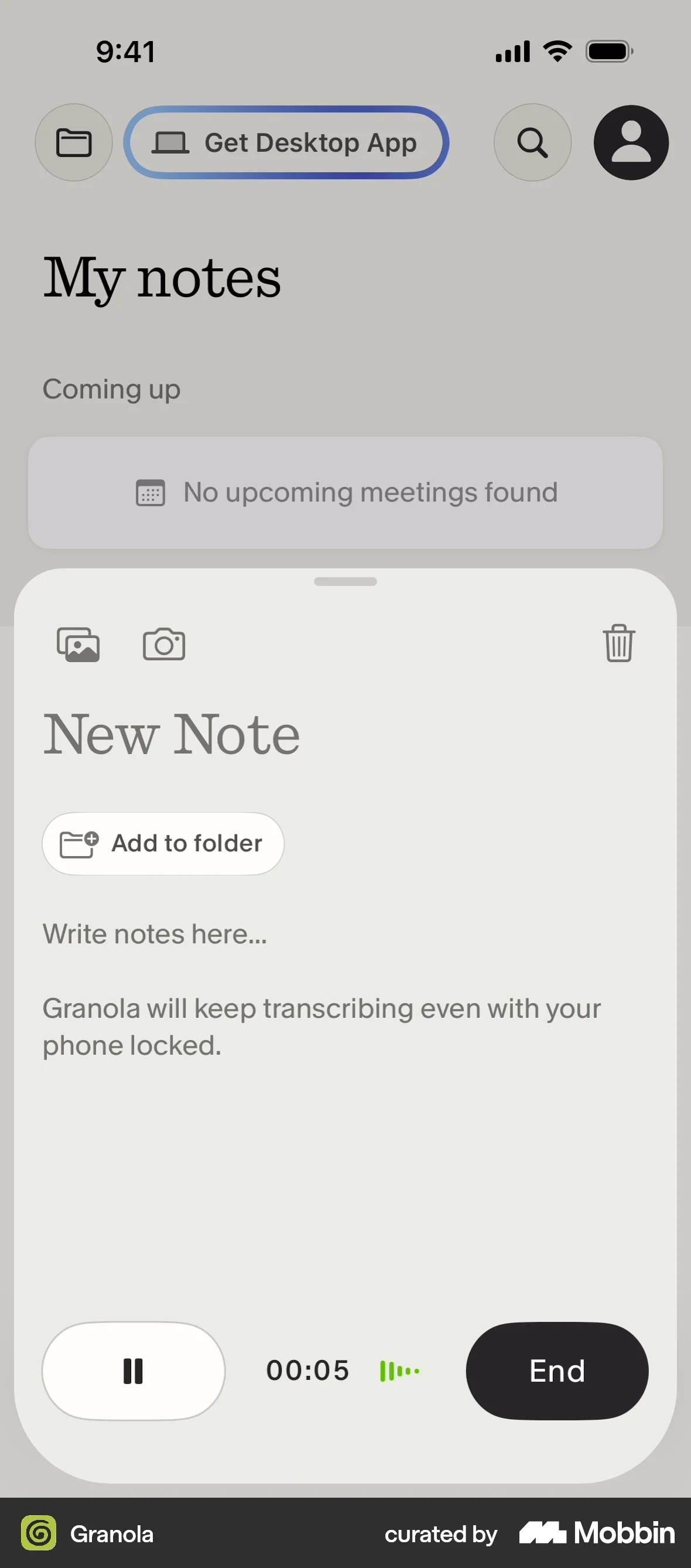
- The recording bar is small and always reachable. Granola docks it at the bottom so the screen stays usable while recording.
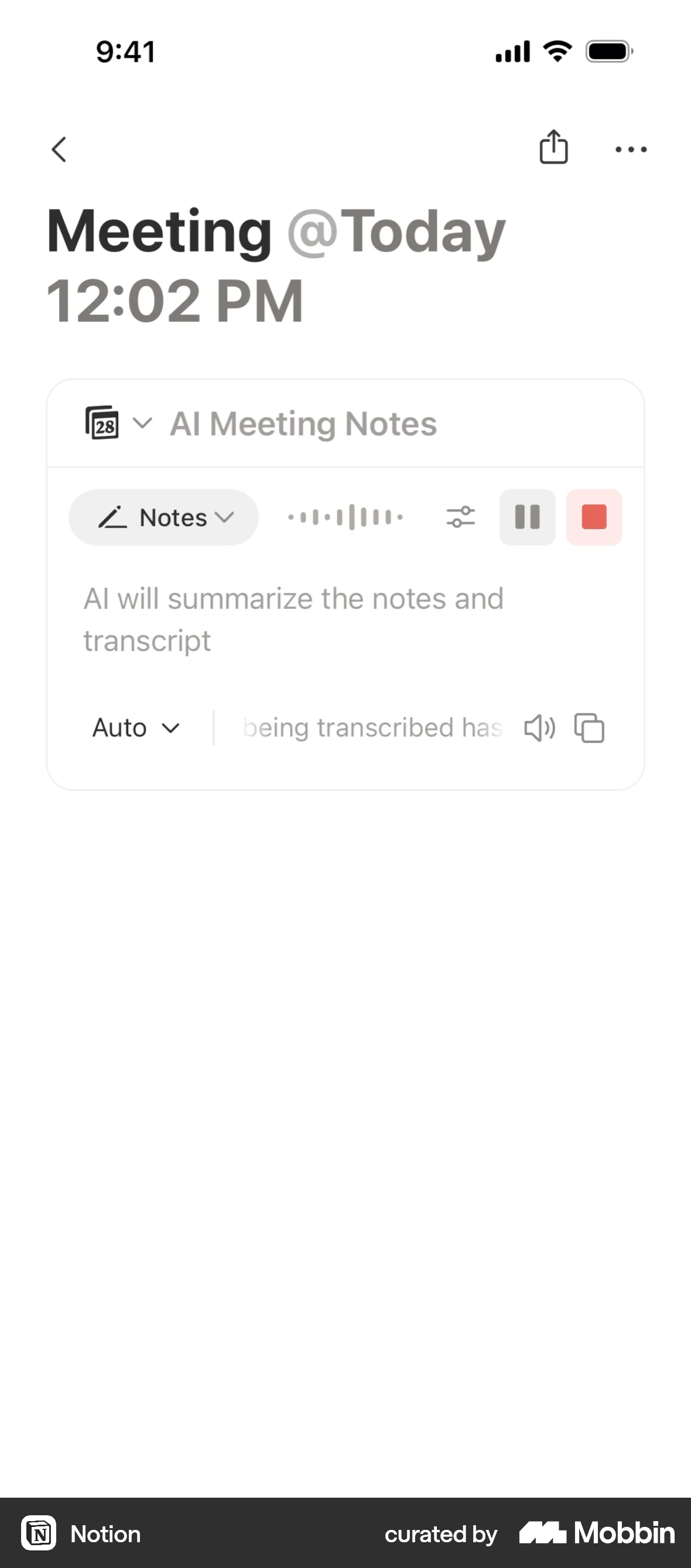
- Transcript and structured output are separate tabs. Notion and Fabric both keep the raw text available, which is what makes people trust the summary.
- The reassurance is the copy. Telling the user recording survives a lock screen is what makes them actually put the phone down and talk.
The C12 translation
- Attribute every commitment to the peer who raised it. “Raised by Ed Gaines” is what makes it a C12 commitment rather than a note to self.
- Three destinations, chosen by the member: a C12 todo the Chair can see, a private personal item, or an agenda item for next forum.
- Everything is editable before it saves. A machine must never file a commitment on a member's behalf.
- Offer it at exactly one moment. A prompt appears when the Live Activity ends: “Two minutes on what you heard?” Never a floating button.
- On device, and said so. Peers discussed this member's marriage and payroll. That audio cannot go to a server, and the interface has to promise it.
Commitments that follow the member out of C12
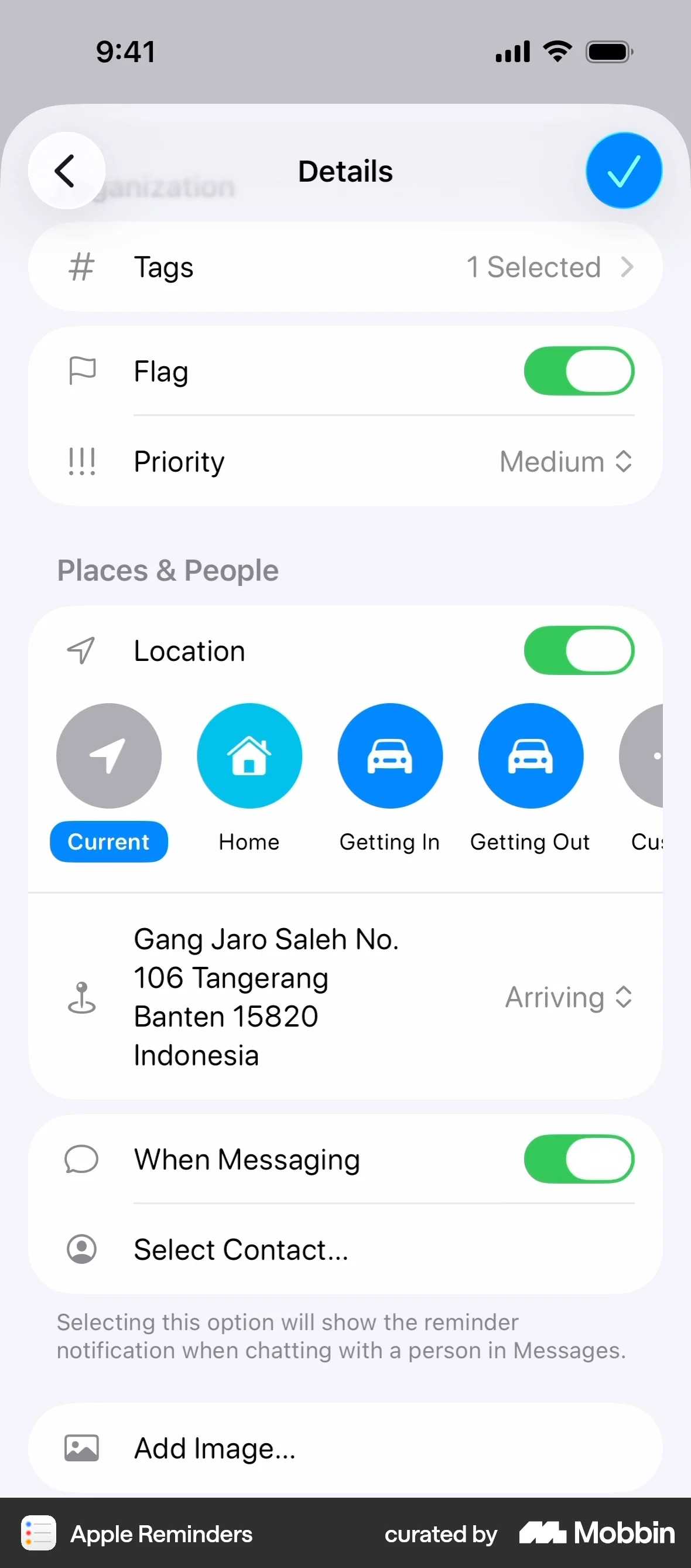
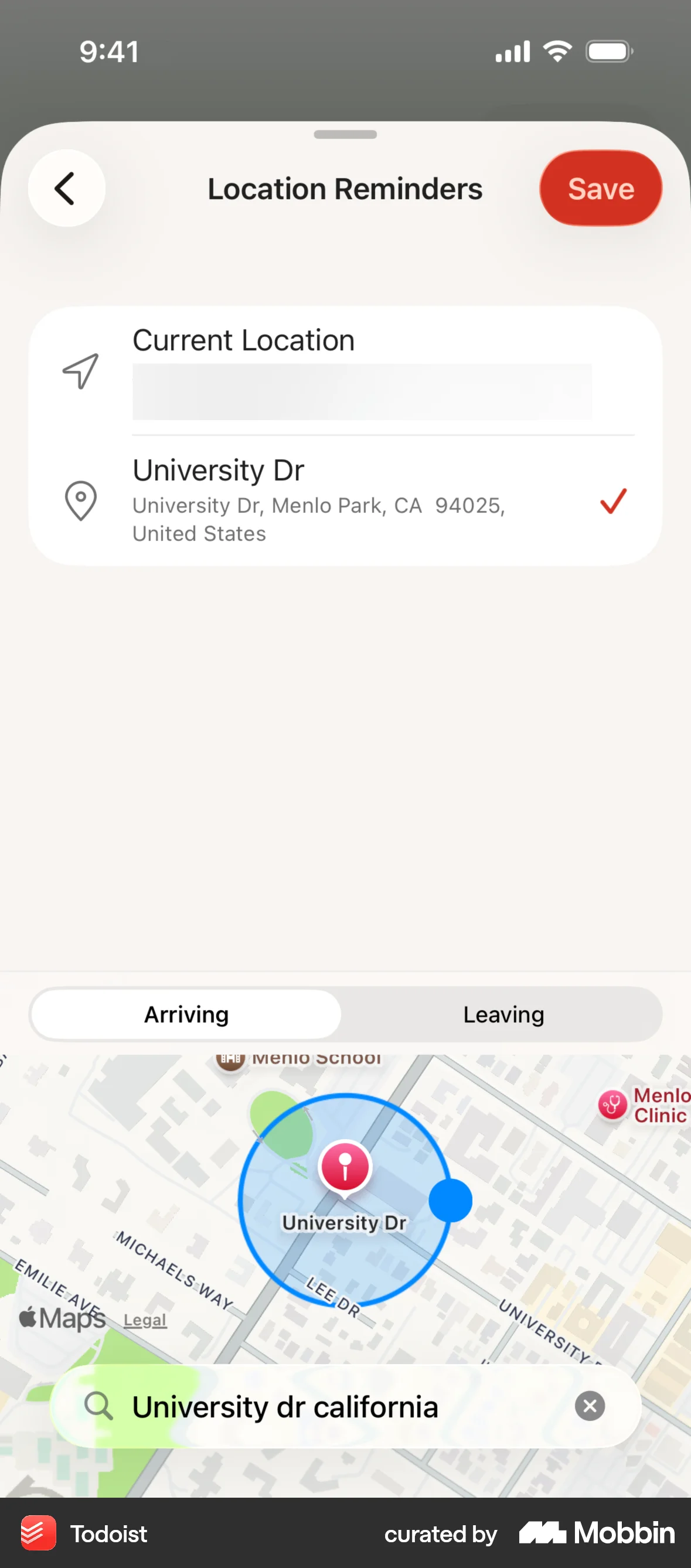
A C12 todo sits in an app a member opens a few times a week. Their real task list is open all day. Accountability that only exists inside C12 is accountability that gets missed — so push it into the system the member already lives in.
Why the references work
- Time is the weakest trigger. Reminders and Todoist both lead with place, because “when I get there” beats “at 9am” for anything you do somewhere specific.
- Arriving and leaving are separate. The distinction is small and it is the whole value — one is preparation, the other is follow-through.
- Mirrored items stay one item. Good integrations sync completion both ways so the user never maintains two lists.
The C12 translation
- A dedicated “C12” list in Reminders. Opt in once; every commitment mirrors into the member's own system with two-way completion.
- Default the triggers intelligently. Forum prep → arriving at the venue. Curriculum → leaving the office. Peer follow-ups → next time you message them.
- The Chair still sees the truth. Mirroring is a convenience layer, not a fork — C12 remains the record.
- Ship two Shortcuts, not a builder. “Leaving forum” and “messaging a peer” cover the real cases. Automation menus go unused.
- Android: the same idea through Google Tasks and App Actions, with geofenced reminders.
Designed for the member you actually have
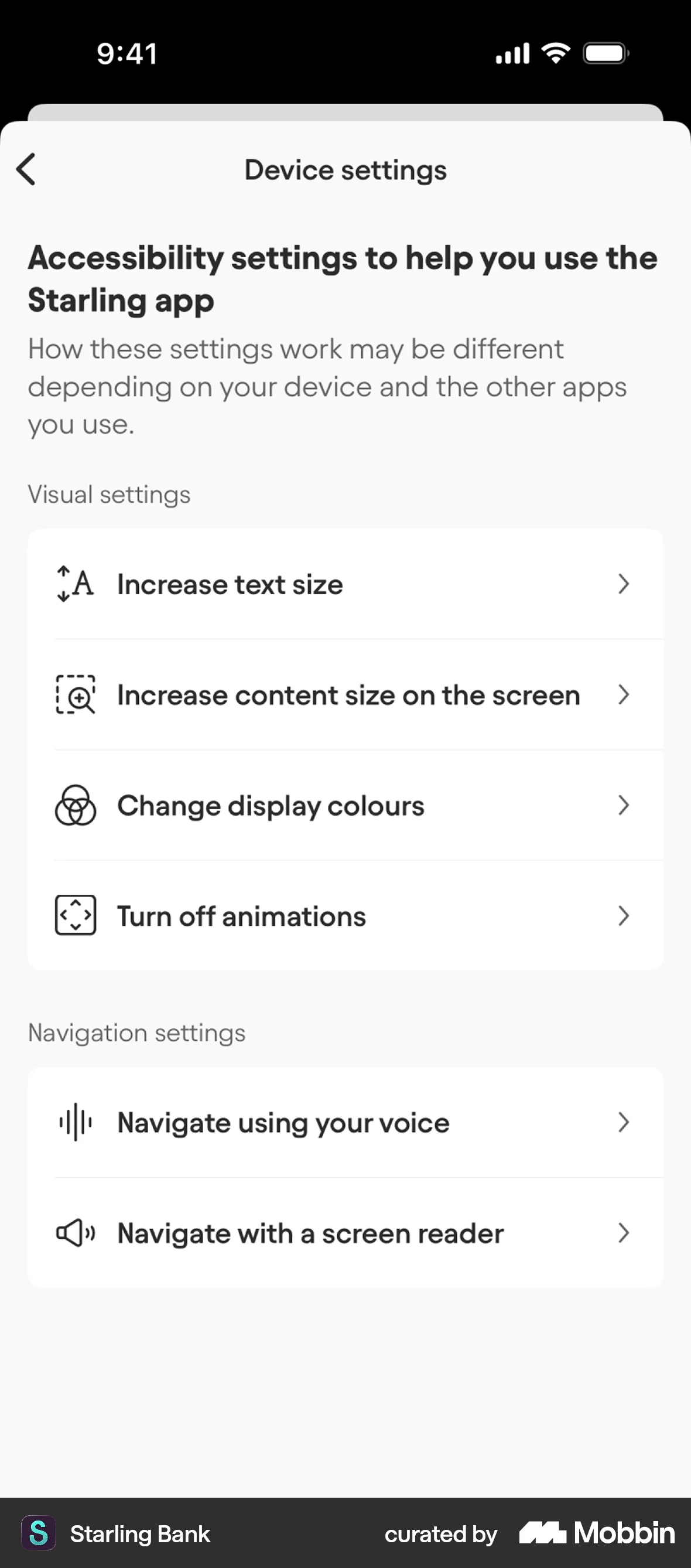
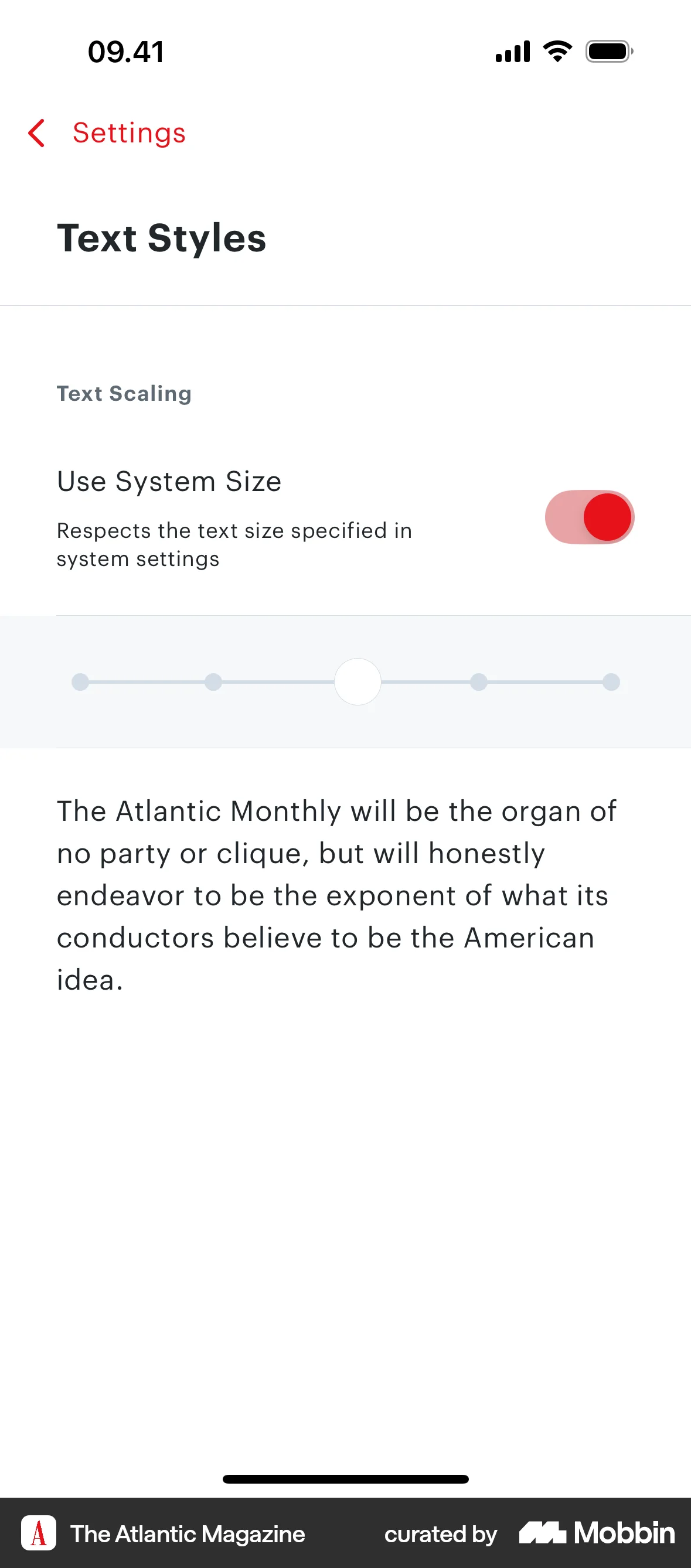
C12 membership is CEOs and owners responsible for at least five employees. That is not a 28-year-old cohort. Somewhere past forty-five, most people turn their phone text up — so for C12, large text is not an accessibility edge case. It is the median rendering of the product.
Why the references work
- Respecting the system setting is the default. The Atlantic's “Use System Size” toggle is on, and its own slider is the exception.
- Plain names beat clinical ones. Starling says “Increase text size”, not “Dynamic Type”. Nobody searches for the API name.
- A live preview removes the guesswork. Apple Books shows the result above the controls, so the setting explains itself.
The C12 translation
- Test at XXL first, not last. If the layout works for the member turning text up, it works for everyone. Today's fixed 49 pt tab bar fails this immediately.
- Tap targets at 44 pt minimum, everywhere. The audit found none of the current chrome checked.
- Name every icon-only control. VoiceOver currently reads bare SF Symbol names for the tab bar. A member using VoiceOver hears “text bubble” instead of “Discussions”.
- Borrow Starling’s generosity. A short C12 screen that points members at the iPhone settings that help. It costs one screen and it signals who the product is for.
- Never signal with colour alone. Overdue, submitted and draft all need a word or a shape, not just red, green and grey.
The one that is not a meeting
Everything else on these boards is monthly or daily. This is once a year, and it is the deepest thing a C12 member writes — their revenue, their headcount, what they gave away, their marriage, their walk with God, and the questions their peers asked them last time.
30 Days through More than 1 Year.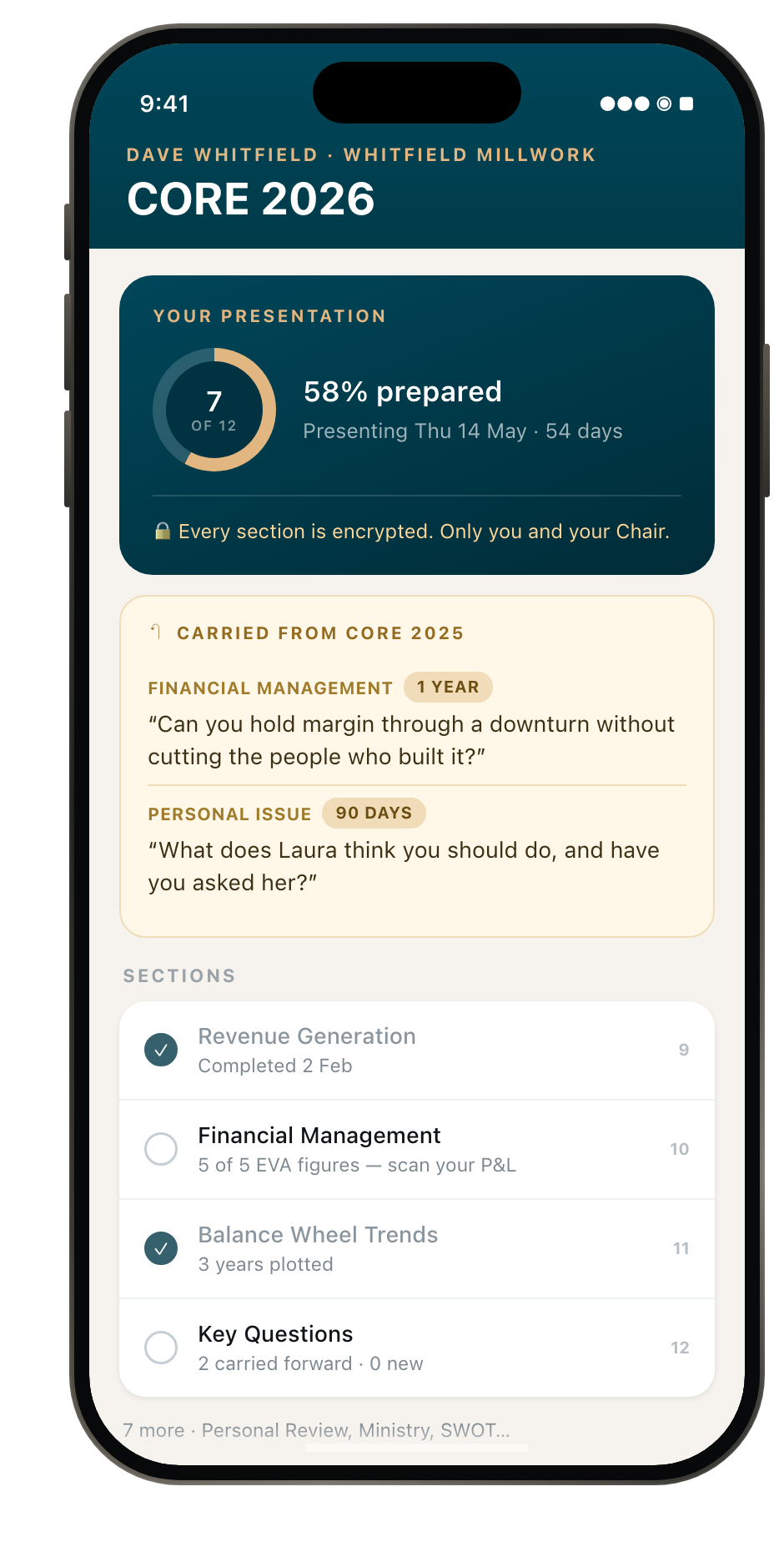
Why a phone suits this
- It is written in fragments. Twelve sections over months is exactly the shape of work a phone is good at and a desk session is not.
- The figures arrive before the deadline. Statements land in March; the presentation is in May. Capturing Financial Management when the paper is in your hand beats reconstructing it in a panic.
- Last year’s questions are the point.
previous_key_questionsalready returns them. Surfacing them while a member writes is a query C12 can already answer. - It is encrypted, so the AI has to be on device.
encrypts :encrypted_datais not a preference — it rules out sending any of this to a cloud model, and it makes Foundation Models and Gemini Nano the only honest options.
The translation
- A completion dial, not a progress bar.
completion_percentagealready exists. Seven of twelve, with the date it is due. - Carried-forward questions sit above the sections, with their category and timeline, in the member’s own words from last year.
- Camera into section ten. Five named Economic Value Add figures, attaching to
company_financials. - Voice into Personal Review. The hardest section to type is the one about your marriage; it is the easiest to say out loud in a car.
- “What changed since last year” from three years of
AnnualSVA— revenue, headcount, and what they gave away — summarised on device. - A widget that matters once a year and stays quiet the rest of it: CORE 2026 · 7 of 12 · 54 days.
Nine more worth a second pass
Not drawn out here, but each maps to something C12 already does and each is days rather than months of work.
Share an article into a discussion
CEOs forward things. A share extension puts C12 in the share sheet from Safari, News, Mail or LinkedIn, so a peer-relevant article becomes a discussion post in two taps instead of copy-paste.
Read a peer in another language
The case study notes multi-language UI and currency conversion — C12 is international. On-device translation of a post or a reply, inline, with the original one tap away.
A visitor pass for prospects
C12 recruits by inviting prospects to sit in on a forum. An App Clip behind a QR code at the door gives a visitor the agenda, the attendee list and the handouts — with no install and no account.
The Chair runs the room from an iPad
Chairs are the power users and they are already carrying an iPad. Advance the agenda, time a presenter, mark attendance — and that is what drives every member’s Live Activity.
A tap on the wrist when you are up
A presenter should not be watching a phone. A haptic two minutes before their slot, and the next-up name on the watch face, keeps the room on time without anyone checking a screen.
Swap details without swapping numbers
New peers meet constantly — new members, visitors, cross-chapter events. AirDrop a C12 contact card that carries chapter and company, so the connection lands in C12 rather than a phone’s contacts graveyard.
Go through curriculum together
Chair coaching calls and 1:1s already happen over FaceTime. SharePlay lets a Chair and a member move through the same curriculum section in sync, on a call, with shared position.
Start on the phone, finish on the Mac
Real data entry happens at a desk. Handoff puts the half-finished monthly report on the Mac’s Dock, opening the web app at the exact same form.
Photograph the whiteboard, keep the words
Forum sessions end with a whiteboard. A photo plus Live Text makes the writing selectable and searchable, so a session’s output survives past the room.
What this volume is really arguing
- The heaviest job is data entry, and the camera can do most of it. The annual CORE presentation is the deepest thing a member writes. Scanning five named figures off their own statements is the biggest single reduction in effort available anywhere in the product.
- The curriculum already has a reading mode. What it does not have is a driving mode. C12 solved the “I have not read it” problem with read-it-to-me; the remaining gap is that it stops at the car door.
- Accountability leaks the moment a member leaves the app. Commitments made out loud, in a room, end up in a list nobody opens. Mirroring them into the member’s own system is what makes them stick.
- The conclusion: volume 1 makes C12 visible. Volume 2 makes it lighter. Together they change what the product asks of a member — from “open the app and type” to “point, listen, speak, confirm.”
- And none of it requires rebuilding C12 natively. Every concept in both volumes sits in the native shell around the same Rails application. The web app stays the product; the shell stops being a wrapper and starts being a tool.
Where these land in the plan
| Concept | Phase | Prerequisite | Why now |
|---|---|---|---|
| 9 · Wallet pass | Quick Win | Pass signing certificate | Self-surfacing, no push budget, uses meeting data that already exists. |
| 12 · Designed for 45+ | Quick Win | None — part of the shell rebuild | Closes an audit finding and matters most to the actual membership. |
| 11 · Commitments in Reminders | Phase 2 | Reminders permission | Makes peer accountability survive outside the app. |
| 8 · Curriculum audio | Phase 2 | Audio assets or TTS decision | Extends read-it-to-me past the car door, using content and audio C12 already owns. |
| 7 · CORE figure capture | Phase 2 | Stable report field schema | Biggest effort reduction in the product, and the field list is already fixed in the model. |
| 10 · Voice to commitments | Phase 3 | Concept 1 (Live Activity) for the prompt moment | Best paired with meeting day, so it has somewhere natural to appear. |
| 13 · CORE preparation | Phase 2 | None — the model is already there | The deepest thing a member writes, and the one the team asked us to improve. |
| 14–22 · The second pass | Phase 3 | Varies | Each is small. Pick by chapter feedback rather than by list order. |
Sources & credits
Reference screens curated by Mobbin and linked individually above — Brex, Evernote, Medium, Queue, Eventbrite, Posh, Granola, Notion, Apple Reminders, Todoist, Starling, The Atlantic.C12 context: RoleModel C12 case study · C12 on the App Store · Join a Forum.
Verified against both shipping codebases in September 2026 — searching for these APIs returns zero matches. All C12 screens on this board are concepts drawn for this document. Member names, companies and figures are illustrative and fictional. Companion to Volume 1 and the C12 CORE UX Assessment.